Two powerful apps, tailored to your receipt management needs
On-Device AI • Private • Offline
AI-Powered • Voice Input • Smart
Snap a photo of any receipt and on-device AI instantly extracts the store name, date, amount, and category. All processing happens on your iPhone - no data ever leaves your device.
Simple and straightforward manual transaction entry. Perfect for users who prefer direct control over their data input.
Powered by Apple Intelligence on-device AI. No cloud processing, no data collection, no servers. Your financial data stays entirely on your iPhone.
Complete functionality without internet connection. Scan receipts and track expenses anywhere, even without Wi-Fi or cellular.
Beautiful pie charts, bar charts, and spending insights help you understand your financial patterns.
Create and customize spending categories with budgets, emojis, and personalized organization.
Powerful search and filtering capabilities to quickly find specific transactions and receipts.
30 transactions free to try, then simple $2.99 one-time unlock for unlimited receipts and scanning. No subscriptions.
One subscription unlocks up to 4 devices. Pair by QR code — receipts, categories, budgets, and photos sync directly between your family's phones when they're on the same WiFi with the app open, never through a server.
One tap builds a PDF for any period: summary, per-category totals, and every receipt with its scan. Made for tax time and expense claims.
CSV or PDF for a month, a quarter, a tax year or any custom period — filtered to a single category when you need it.
Before each release the scanner is measured against real receipts from Japan, Malaysia, Taiwan and the Netherlands, receipt by receipt. See how we test
Point the camera and let go. The app finds the receipt, waits until it is flat and sharp, then takes the photo and crops it to the paper. Or import from your photo library. How the camera works
A receipt in yen, euros or pounds is converted to your own currency at that day’s rate, with the printed amount kept alongside it. Japanese and Chinese receipts are read whatever language the app is set to. Read the Japan-trip story
Simply speak your transactions naturally - "I bought coffee at Starbucks for $5.35" - and AI will process everything automatically.
Powerful OCR technology automatically extracts store names, dates, items, and totals with remarkable accuracy.
AI intelligently categorizes receipts and items, learning from your preferences to improve over time.
Comprehensive spending insights with trend analysis, predictive patterns, and detailed financial reports.
Automatically identifies and tracks recurring expenses like subscriptions and regular bills.
Import receipts directly from other apps using iOS share functionality for seamless integration.
Leverages cloud computing for enhanced AI processing while maintaining data security and privacy.
Supports English, Spanish, Japanese, and Traditional Chinese for voice input and receipt processing. Perfect for international users and travelers.
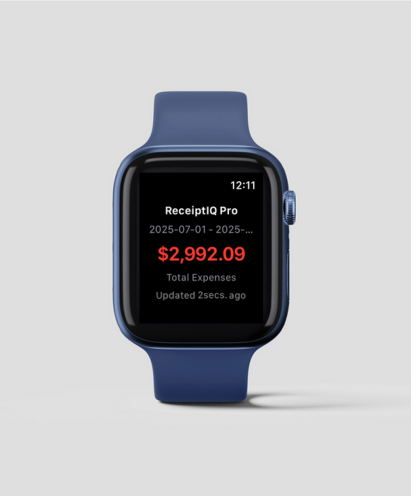
View your current expenses right on your wrist! Track spending, check budgets, and stay on top of your finances with the convenient Apple Watch companion app.
AI-powered bank statement scanning automatically extracts and imports all your transactions. Just scan your bank statement and let AI process each transaction into organized expenses.
Choose the version that best fits your needs
| Feature | ReceiptIQ Lite | ReceiptIQ AI |
|---|---|---|
| Manual Receipt Entry | Yes | Yes |
| Camera Receipt Scanning | On-Device AI (Beta) | Reads every line item |
| Live capture camera | — | Finds the paper and shoots by itself |
| Receipts in other currencies | — | Converted at that day’s rate |
| Family Sharing | Yes | Up to 4 devices |
| Bank Statement Scanning | No | Yes |
| Voice Input for Transactions | No | Yes |
| Reads text from the photo | Yes, on-device | Yes |
| Automatic Categorization | Yes, on-device | Yes |
| Works Offline | Yes | Scanning needs a connection |
| Privacy Level | Everything on your phone | Photos stay on your phone |
| Custom Categories | Yes | Yes |
| Charts & Analytics | Basic | Advanced |
| iCloud Sync | No | Yes |
| Multi-Language Support | EN, ES, JA, ZH-Hant | EN, ES, JA, NL, ZH-Hant |
| Apple Watch App | No | Yes (Beta) |
| Pricing | 30 free, then $2.99 one-time | 30 free, then subscription |
