
ReceiptIQ AI Press Kit
The AI receipt scanner that keeps your receipts on your own devices — not on someone's server.
What is ReceiptIQ AI?
ReceiptIQ AI is an AI-powered receipt scanner and expense tracker for iPhone, iPad and Mac (with an Apple Watch companion), built by an independent developer. Point the camera at a receipt and it extracts the store, date, and every line item, categorizes them, and files the purchase into your budget — in 16 languages, including receipts printed in Dutch, Japanese, Spanish, and Traditional Chinese. When you scan, the receipt photo and its text are sent securely to be read and are not kept; receipts are stored only on your own devices. Reading receipts on the phone itself (on-device AI) is in research and testing and is not available in the app right now; we will turn it on for everyone once it reads receipts accurately.
What makes it different
- Family Sharing with no cloud — free for up to 4 devices, and one subscription covers them all. Receipts, budgets, and photos sync directly between the family's devices when they are near each other, via peer-to-peer networking. There is no server, no account, and no family database anywhere — subscription entitlement is verified offline using Apple's own cryptographic signature.
- Audit-ready PDF reports — one tap produces a single PDF with an expense summary, a receipt index, and every scanned receipt on its own page. Built for a subscriber whose auditor wanted to see the receipts, not a spreadsheet.
- On-device AI (in research) — reading receipts on the phone itself is in research and testing and is not available in the app right now; it will be turned on for everyone once it reads receipts accurately.
- Truly multi-language — UI in 16 languages; scans receipts printed in multiple languages, including mixed-language receipts.
- Voice input — speak an expense ("coffee four fifty at Blue Bottle") and it's logged and categorized.
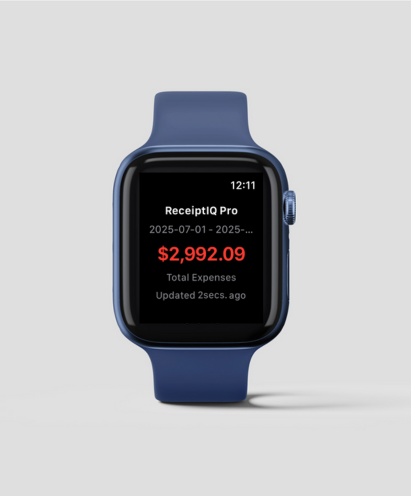
- Apple Watch companion — a glance at this period's spending from the wrist.
Fact sheet
| Name | ReceiptIQ AI |
| Platform | iPhone and iPad (iOS/iPadOS 17.6+), Mac (macOS 14.6+), Apple Watch companion app. One app, one purchase. |
| Price | Free to download (every feature included, with 30 AI scans for life; entries you type in yourself never count). Premium subscription (unlimited AI scans under fair use, at most 100 a day): $1.99/month or $14.99/year (US prices) |
| Languages | 16 app languages: English, Spanish, Japanese, Traditional Chinese, Dutch, German, French (Canada), Italian, Polish, Portuguese (Brazil), Swedish, Danish, Norwegian, Finnish, Turkish, Korean |
| Privacy | No account required. Manual entry sends nothing; on-device AI is in research and testing and not available yet. Family sync is peer-to-peer — no server |
| App Store | apps.apple.com/app/id6742335723 |
| Website | receiptiq.me |
Screenshots
Click for full resolution. More material available on request.


App icon

The story
ReceiptIQ AI is built by a solo developer who answers every support email personally — several of the app's headline features, including the audit-ready PDF report and the receipt-date learning system, were designed directly from individual users' emails. The app's engineering has a consistent theme: do it on the device. family sync ships with zero backend; reading receipts on the phone itself is in research and testing; and when the app isn't sure about something — like an ambiguous printed date — it asks the user instead of guessing silently.
Press contact
Email: support@receiptiq.me
Review promo codes, additional screenshots, and interviews available on request.